Control4 brings lighting, heating, audio, video, security and access under one elegant interface.
This buyer’s FAQ is for homeowners, developers and designers who want to know how a Control4 system actually feels to live with, and what it costs to do it properly.
We explain the latest X4 software and the Connect service in plain terms.
You will see where Halo remotes and T4 touchscreens fit, and when to pair Control4 with Lutron or KNX.
We also cover Triad for multi-room audio, Chime for the front door, and why the network is non-negotiable in premium homes.
1) What is Control4 X4 (OS 4) and how does it differ from OS 3?
X4 is a major evolution: a redesigned interface, faster mobile experience, customisable Home Screen, Widgets, and Routines for end-user automation. It also adds in-app voice management with Apple HomeKit and Apple AirPlay 2 support for Triad SA1, so Siri setup and streaming are simpler and lower-latency than before. Release notes explicitly highlight “deeper integration with Apple technologies,” with Routines and personalisation front and centre.
2) Do I need Control4 Connect now - what changed from 4Sight?
For systems installed after 23 April 2024, Control4 Connect is the required software service that replaces 4Sight. Official guidance states: “4Sight is only available for Control4 systems installed prior to April 23, 2024. For any systems installed after that date, Control4 Connect is the required software service that replaces 4Sight.” Connect unlocks remote access, voice assistants, notifications and ongoing feature/security updates.
3) Which controllers, touchscreens and remotes are current in 2025?
The CORE controller family is the current platform, offering faster processors and 4K on-screen UI. T4 in-wall/tabletop touchscreens remain the flagship interfaces. Halo and Halo Touch are the current remotes. This mix covers everything from single-room CORE lite bundles to whole-estate CORE 5 deployments.
4) What happens if my Connect subscription lapses on X4?
If Connect expires on an X4 system you lose intercom, mobile notifications, Routines, smart voice assistants and mobile app access. Touchscreens and Halo remotes continue to work locally on-site.
Remotes & User Experience
5) Halo vs legacy SR-260—what’s the real-world difference?
Halo brings a colour UI, 2.4/5 GHz Wi-Fi, voice support (e.g., Apple TV/Xfinity via Voice Coordinator), end-user add-to-project capability, and ongoing OTA firmware updates—but requires OS 3.3.2+. The older SR-260 is a Zigbee hard-button remote with a text display; still serviceable in many projects, but lacks Halo’s modern integrations, UI and Wi-Fi.
6) Can I use voice assistants (Apple, Alexa, Google) natively with X4?
Yes, X4 adds in-app HomeKit setup and broader assistant management, improving Apple ecosystem integration (Siri across iPhone, HomePod, CarPlay, etc.). Alexa/Google integrations continue (licensing applies via Connect).
7) Can family members have personalised dashboards/favourites?
Yes. X4 emphasises personalisation: Home Screen Widgets, Favourites per room or system, adjustable text/tile sizing, and Routines that users can add/modify. It’s a step up from OS 3 in flexibility and speed.
Lighting, Blinds & Comfort
8) Should I choose Control4 lighting or pair Lutron HomeWorks / RadioRA 3 with Control4?
Both are excellent. For estates with complex shade/lighting demands and existing Lutron ecosystems, RadioRA 3 and HomeWorks integrate with Control4 via drivers, preserving Lutron keypads/scenes while unifying control in Control4. Many luxury projects blend Control4 scenes with Lutron’s dimming/shading hardware for best-of-both-worlds ergonomics and reliability.
9) How does KNX integrate with Control4 in UK projects?
Control4 provides official KNX gateway and device drivers (switching, dimming, blinds, sensors, thermostats). Using the KNX Routing Gateway / KNX Network drivers (plus device drivers), integrators map KNX group addresses into Control4 for unified scenes and UI. This makes Control4 an elegant “front end” to existing KNX infrastructures.
10) Can Control4 orchestrate blinds/shades scenes across Lutron/KNX and native kit?
Yes. With the correct drivers, Control4 scenes can synchronise shades and lighting across Lutron, KNX, and native Control4 loads, triggered from touchscreens, Halo, schedules, or Routines – delivering seamless “morning/evening” transitions system-wide. (Driver availability is extensive in Control4’s driver database.)
Lighting, Blinds & Comfort
11) What does Chime do that a generic video doorbell can’t inside Control4?
Chime is the Control4-native doorbell: 5 MP camera, ~180° FoV, IR night mode, and – critically – full scene control: disarm, unlock, light a path, open gates, trigger announcements, all from the same UI. It ships in PoE and Wi-Fi models, and integrates with Intercom and event-based recording.
12) Is Intercom Anywhere still a thing with X4/Connect?
Yes. Intercom Anywhere is part of the connected feature set on modern systems. On X4, those features are gated by the Connect subscription; if Connect lapses, Intercom Anywhere is among the functions that stop working (local touchscreens keep working).
13) Can we integrate gates, CCTV and ANPR into the same Control4 flows?
Yes, Control4’s ecosystem and driver library support CCTV, gates and triggers (e.g., ANPR via third-party NVRs/drivers), with OvrC enabling remote diagnostics for uptime. Centralised notifications and scenes ensure elegant entry sequences across large properties.
Audio, Video & Cinema
14) How does Triad multi-room audio perform vs Sonos/B&O?
Triad Audio Matrix Switches (8×8 / 16×16) deliver high-resolution audio, dedicated DSP, and OvrC support for remote monitoring – designed for true whole-home distribution with Control4 SDDP and IP control. Triad’s audiophile speakers are also Dolby Atmos reference partners for home theatre design, underscoring the line’s performance pedigree.
15) Centralised video distribution - does Control4 still make sense in a 4K/8K streaming world?
Yes. Centralised (rack-based) distribution keeps sources hidden, shares premium boxes/streamers to many rooms, simplifies HDCP/EDID management, and enables synchronised multi-room video. Control4’s Media/Entertainment design guides and current site content still advocate distributed video as a premium UX choice, especially for large homes with many displays.
16) Can Control4 drive a dedicated home cinema with scenes for lights, HVAC and masking?
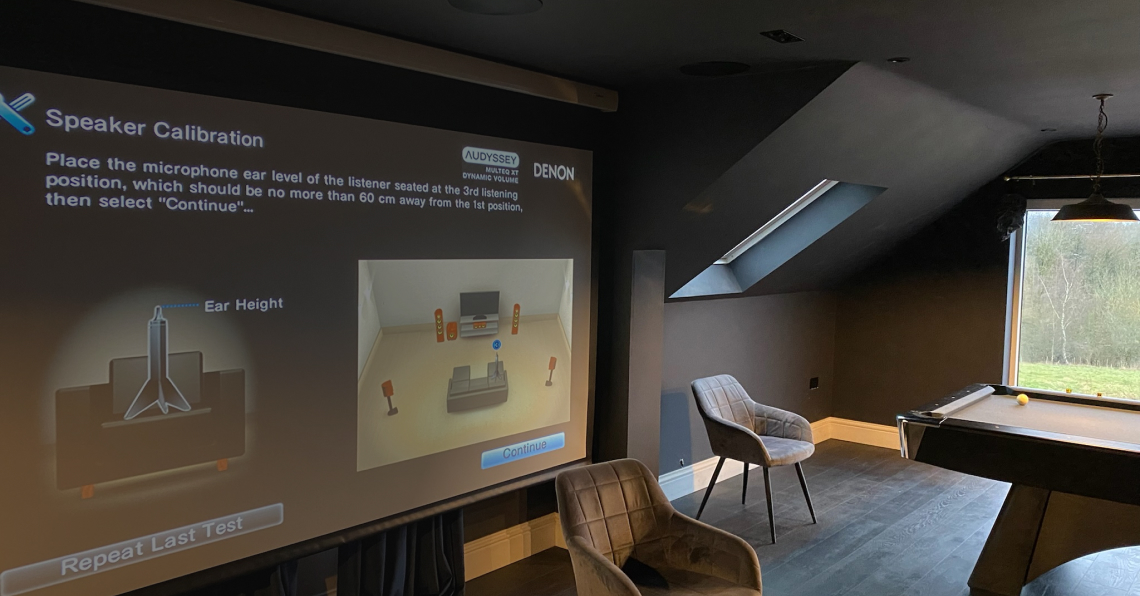
Absolutely. For home cinema installations, Control4 orchestrates projectors/AVRs, Triad amplification, acoustic masking, HVAC, and lighting into one-touch scenes (e.g., “Movie Start”). For the most elegant design, pair with Lutron shades and Control4 scenes.
Networking & Reliability
17) Why do premium installs specify Pakedge networking and OvrC remote management?
OvrC is Snap One’s pro-grade cloud management platform—dealers remotely monitor, update and troubleshoot networks/devices across sites. Pakedge access points/switches/routers integrate tightly with OvrC (including Wi-Fi Management), giving multi-AP estates reliable coverage, VLAN hygiene and proactive care. Firmware and topology insights help keep luxury systems stable.
18) What service/maintenance model should I expect after install?
Snap One introduced Assist / Assist Premium as optional, dealer-delivered support tiers layered on Connect. The programme is designed to improve end-user experience, reduce dealer support burden and create recurring-service clarity. Your integrator can advise if they’re Assist-authorised and how it maps to your property’s complexity.
19) How does OvrC help resolve issues before anyone notices?
Dealers can see device health, reboot devices, bulk-update firmware, and adjust Wi-Fi centrally, often fixing a fault before the family even knows. Control4 controllers, Araknis/Pakedge networking, Triad matrices and other kit surface telemetry to OvrC for rapid diagnosis and action.
Project Delivery & Property Types
20) Retrofit vs new-build: what should I plan for in UK homes?
Retrofit (townhouses/MDUs/heritage): minimise chases; lean on wireless keypads, retrofit lighting, OvrC-managed multi-AP Wi-Fi, and localised AV nodes.
New-build / heavy refurb: pull a wired backbone: Cat6A to TVs, APs, cameras, touchscreens; CW1308/KNX as needed; speaker cable home-runs; centralised racks and ventilation.
Control4’s flexibility (wired + wireless) lets you phase upgrades elegantly as spaces evolve.
21) Are Grade II-listed or heritage properties compatible with Control4?
Yes, with sensitive planning. Use existing voids, surface-mounted conduits where acceptable, wireless dimming/keypads, and PoE runs to discreet T4 touchscreens. Specify small, quiet racks; ensure AP placement respects thick walls. Engage a dealer accustomed to listed-building constraints.
22) What’s a realistic UK budget range for Control4?
Public UK guides vary widely (scope drives cost):
Some integrators frame whole-home packages from ~£30k–£75k+ depending on zones and subsystems; others cite starter rooms lower, and expansive estates well into six figures. Use these as directional markers, not quotes.
Pragmatic approach: define rooms/zones first; invest in the network + control backbone; scale AV/light/security as you go.
Migration, Upgrades & Future-Proofing
23) I’m on OS 2/OS 3—what’s the path to X4 and Connect?
Typically: bring the system to OS 3.4.1+, then upgrade to X4, and transition to Connect (4Sight remains for pre-April 2024 systems until you decide to move). Dealers use Snap One’s documented process to register controllers in OvrC, invite the Connect plan, and complete the hand-off in the Control4 mobile app.
24) Can you take over an existing Control4 system from another dealer?
Yes. Best practice is a site audit, OvrC onboarding, firmware alignment, network rationalisation (VLANs/APs), and a phased roadmap (lighting scenes, AV sync, door entry). Snap One’s OvrC documentation covers transferring ownership and re-registering controllers cleanly.
25) What’s next on the Control4 roadmap after X4?
Public comms and partner tools emphasise continuing personalisation, HomeKit/Apple ecosystem enhancements, Wi-Fi/AP management, and expanded Routines—plus X4 showroom tooling for demos. Expect iterative X4 point releases that refine UI/UX and expand integrations.
Closing
For a faultless, future-proof outcome, prioritise design and networking, insist on OvrC-enabled hardware.
Partners
Projects
South Kensington
Lost Society
New Project
We'd Love
to Hear from You!
Discover the ways in which we can streamline and automate your home for enhanced convenience and efficiency.